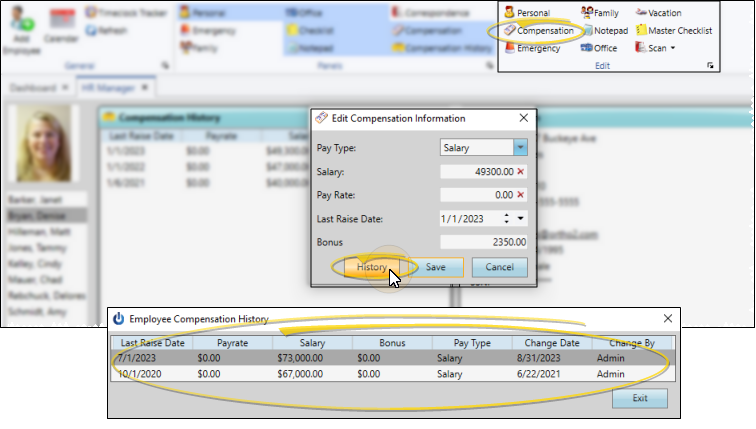
HR Manager Compensation History
The Compensation History displays details about the employee's current and past pay rate. Your HR Manager security settings determine who can view and edit this area of an employee record.
See "HR Manager Security" for details about the security settings for this area of your HR Manager.
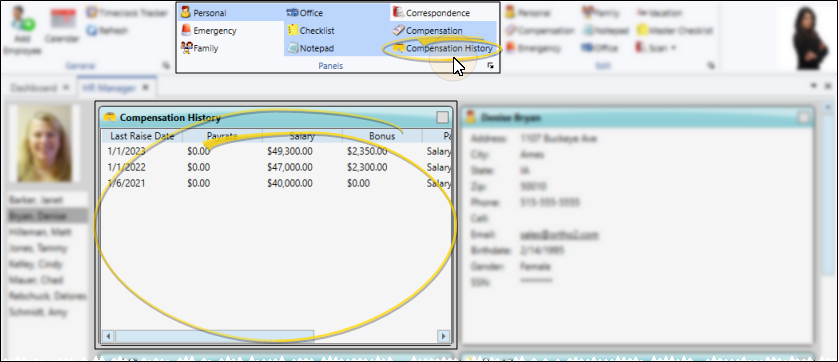
View the Compensation History
Enable the  Compensation History option from the Panels section of the HR Manager employee record to include that portion of the record on your screen. You cannot edit the Compensation History directly: All compensation data is recorded automatically whenever a change is made with the Compensation editor. See "HR Manager Employee Compensation" for details.
Viewing Security Access - All operators with at least "read only"HR Manager security access can view this area of the employee record.
About the Employee Record Window - See "HR Manager Employee Records" for details about expanding, rearranging, and working with the panels of your employee records.
View History From Compensation Editor
You can also view the Compensation History from the Compensation editor. See "HR Manager Employee Compensation" for details.