
HR Manager Calendar Work Week Editor
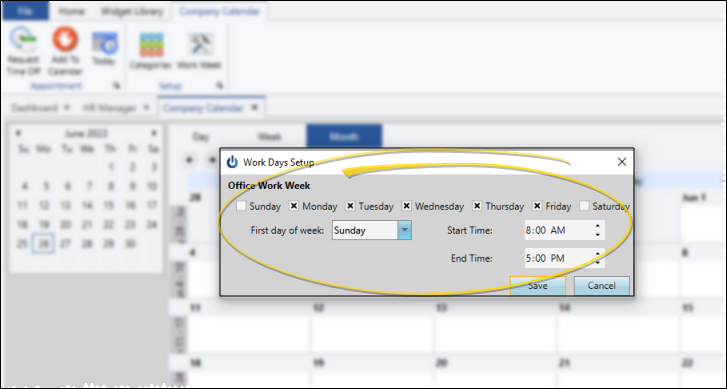
Use the Work Week configuration settings of your HR Manager calendar to define your usual working days.
Open the Work Week Editor
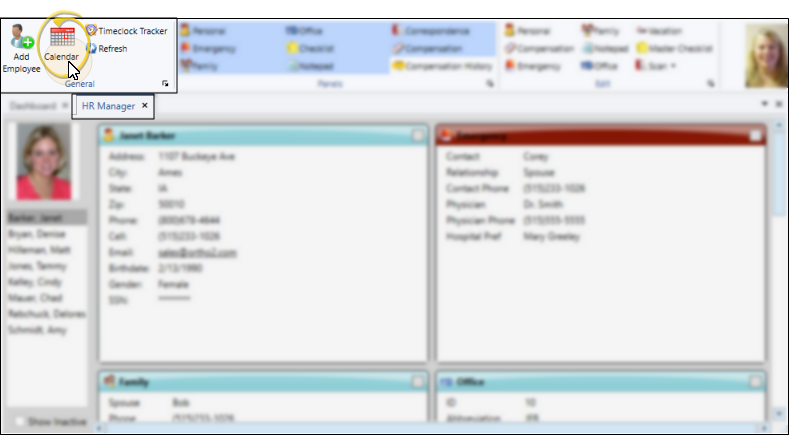
Open Your HR Manager Calendar
With your HR Manager open, select  Calendar from the General section of the ribbon bar.
Open the Work Week Editor
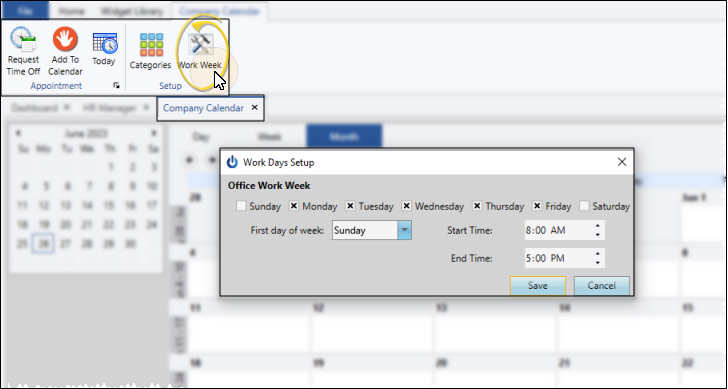
Select  Work Week from the Setup section of the Company Calendar ribbon bar.
Choose Your Settings
Work Days - Enable each day of the week that you are generally in the office. Although you can schedule events on any day of the week, days you disable will appear shaded in the Week and Month views of your HR Manager calendar.
First Day of the WeekSelect the first day of your standard work week.
Start / End Times - You can choose the earliest and latest times that employees are in the office, or the times you generallt see patients. Although you can schedule events at any time of day, times outside your stated start and end times will appear shaded in your HR Manager calendar.
Save Your Changes
Click Save to save the changes you have made and close the editing window.
