
Request Time Off (PTO)
Use the Request Time Off feature to send an absence request to a supervisor. All time off requests are displayed in the Time Off Queue at the bottom of the HR Manager calendar, where administrators can accept or deny them. The employee is notified via Edge Messaging when the request is either accepted or denied. Accepted requests will appear as scheduled events in your HR Manager calendar. You can review all requests, including accepted and denied requests, from the Time Off Queue at the bottom of the HR Manager calendar.
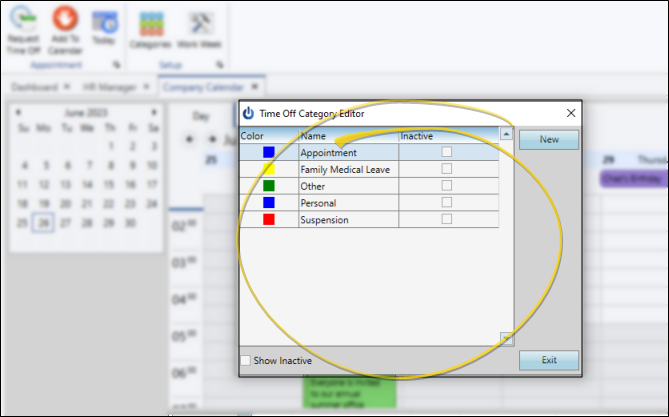
Set Up Request Categories
Use the Category editor of your HR Manager calendar to create a list of categories to assign to your calendar appointments and time off requests. See "HR Manager Calendar Category Editor" for details.
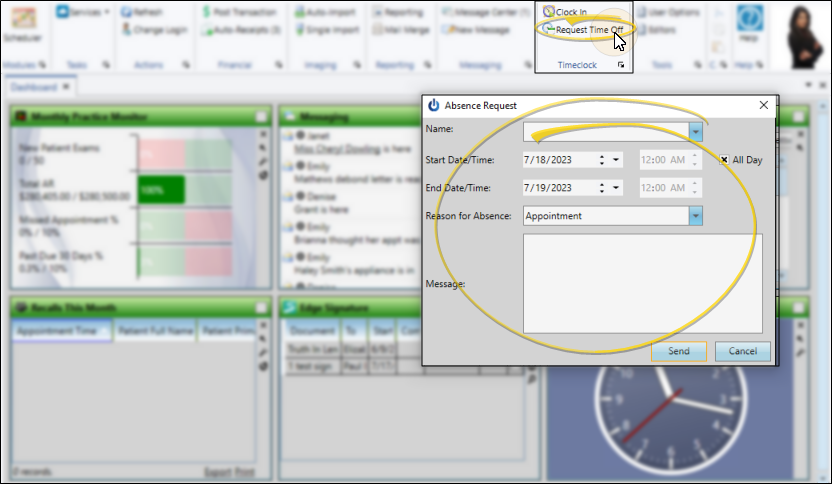
Request Time Off
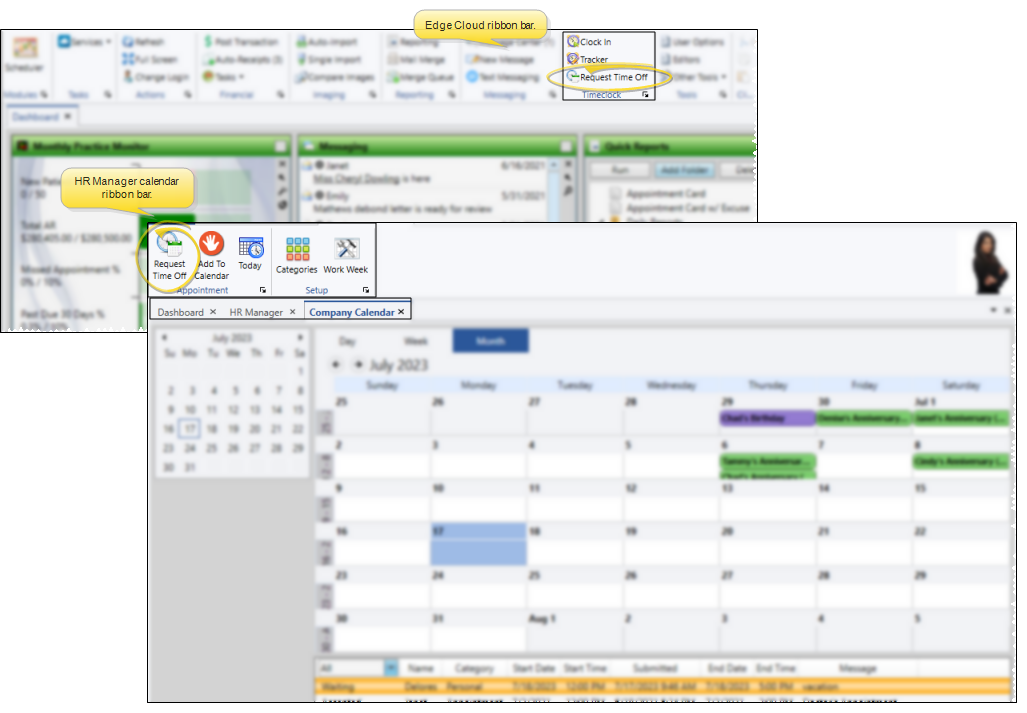
Open the Request Time Off Dialog
Select the Request Time Off icon from either the Timeclock section of the Edge Cloud Home ribbon bar, or the Appointments section of your HR Manager Calendar ribbon bar.
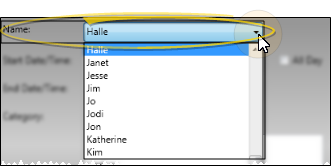
Identify the Employee
Select the employee requesting time off. While most employees send time off requests for themselves, supervisors might use this feature, for example, to notify everyone when someone calls in sick.
Enter Details
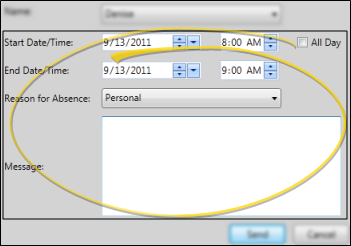
Enter the date and time you are requesting, and select the reason for the request (from your Calendar Category editor). You can optionally type a message of explanation, if required by your office protocol.
Confirm
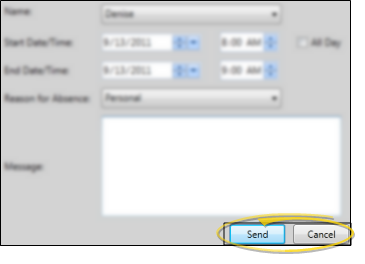
Click Send to confirm your request, and send it to the Time Off Request Queue of your HR Manager calendar for processing by an administrator. See "Manage Time Off (PTO) Requests" for details.
More Information
Time Off Request vs Paid Time Off Benefits - Because an employee absence may be either paid or unpaid, the HR Manager Time Off Request feature only affects the HR Manager calendar. To be accounted for as paid time off in both the employee's HR Manager Vacation window and their Edge Cloud time sheet, the absence must be entered into Timeclock as Vacation and/or Sick hours.
Decision Notice
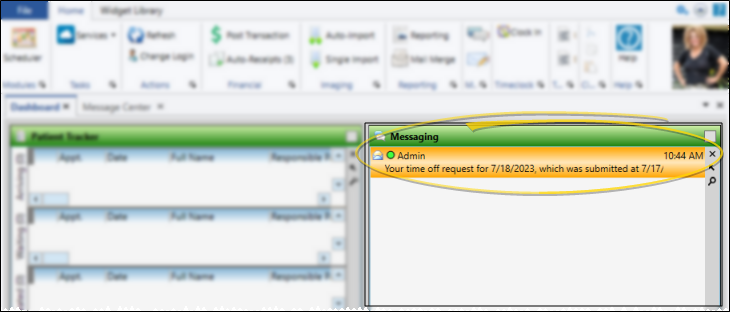
When an employee's time off request has been either accepted or denied, that employee receives a notice of the decision via the Message Center or Messaging widget. See "Edge Cloud Message Center" for details.
Time Off Request Report
Run a Time Off Requests report to obtain a list of requests created by employees. You can choose to include requests received by one or more employees, or include all employees, as well as filter the requests status to show on the report. See "Time Off Requests Report" for details.
