
Edge Cloud / OrthoFi Integration
Enable the OrthoFi integration to connect your Edge Cloud patients with your OrthoFi payment plan records. With the integration enabled, OrthoFi can import relevant patient, responsible party and appointment information into their system directly from Edge Cloud.
Ortho2 can help you with questions you have about system requirements, integration setup, and using your integrations within our system. However, you will need to contact the third-party supplier for specific details about using the integrated module.
Enable the OrthoFi Integration
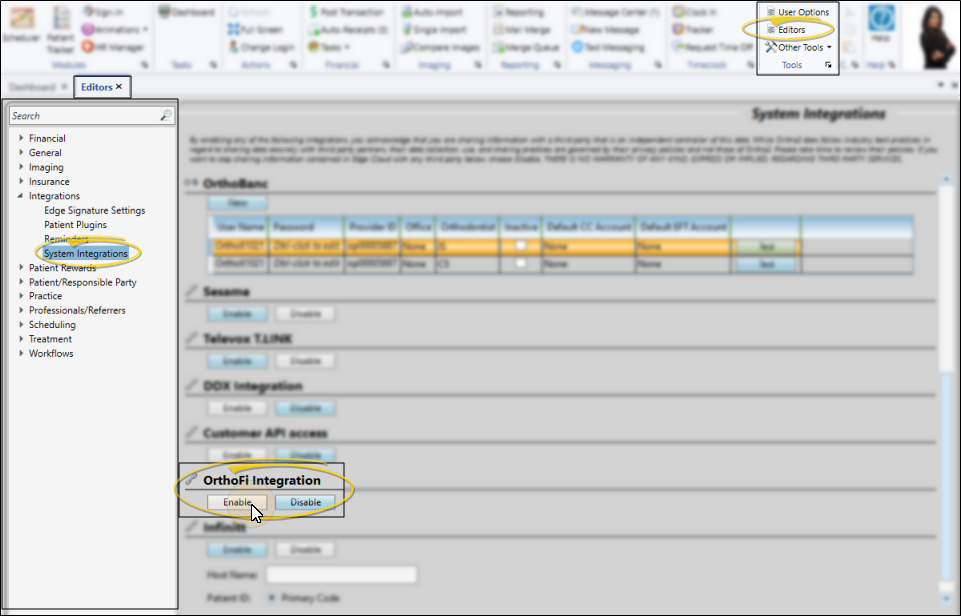
To enable the OrthoFi integration, open the System Integrations editor, and choose to enable the OrthoFi integration.
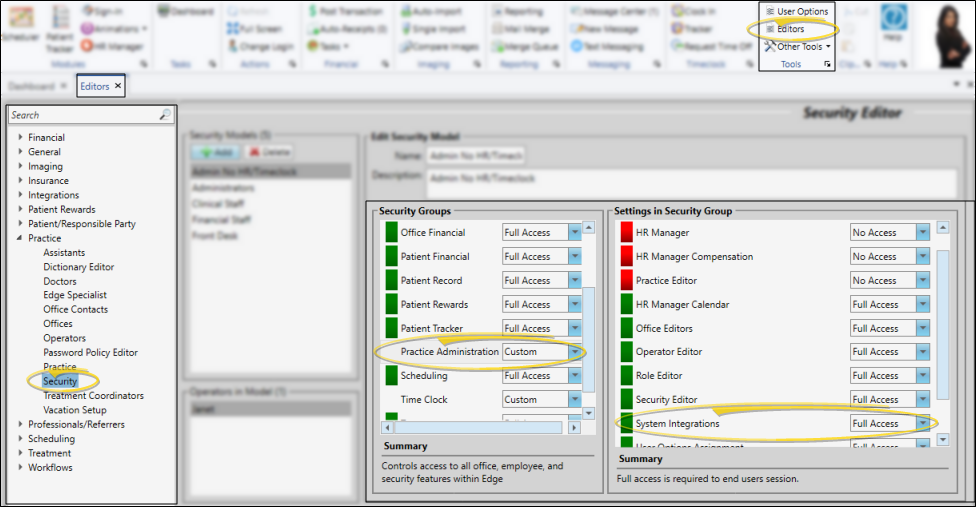
Security Restricted - Only operators assigned to a security model that allows full access to the System Integration Editor setting of the General Administration group can open this editor. See "Security Editor" for details.
Finish
Once the integration is enabled inEdge Cloud, contact theOrthoFi integrations team at integrationsteam@orthofi.com to let them know you are ready to continue the integrations onboarding process. When complete, OrthoFi can import relevant patient, responsible party and appointment information into their system directly from your Edge Cloud patient folders.