
Patient Status History
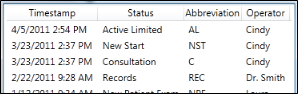
View the Status History to review the progression of status changes a patient has had throughout treatment, including the date each status was assigned and the operator that performed the status change.
Data Source
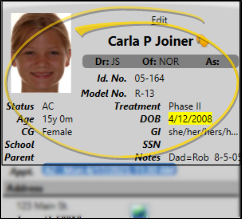
This report gets its data from the changes made to the Status field of the Patient Information Panel. See "Patient Information Panel" for details.
Open the Status History
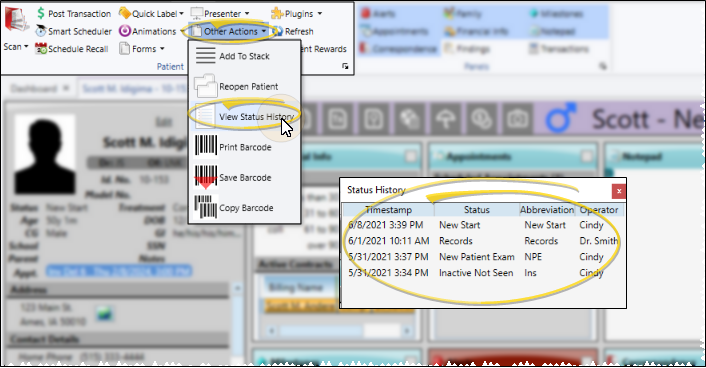
Select Other Actions from the Patient section of the Patient ribbon bar, and select View Status History. (An Edge Cloud patient folder must be open for the Patient ribbon bar to be available.)
Status History Details
Review Status History - Review the information displayed in the Status History window. You cannot change information from this window; you change the status by editing the Patient Information panel, or with a Change Status workflow.
Exit the Window - Click the X in the upper-right corner to close the window.
Status History Reports
Status Progression by Patient - Run the Status Progression by Patient report to obtain a report of the data displayed in the patient's Status History, including the date the patient entered each status. You may run the report for specific statuses, or include patients in all statuses in the report. You can print the report for all patients, an individual patient, or for a subgroup. If you have Edge Specialist, you can include patients from a specific specialty, or include all specialties in the results.See "Status Progression by Patient Report" for details.
Status Count Comparison - Run the Status Count Comparison report to obtain a comparison of the number of patients in each status for two different dates. The report includes the net increase or decrease of patients assigned to the status, and the increase or decrease percentage. It also includes a bar chart of the results. You may run the report for specific statuses, or include patients in all statuses in the report. Typical use might be to compare each month's values to the prior month or year. This can show trends for the practice by status and total numbers of patients being treated for specific status types. If you have Edge Specialist, you can include patients from a specific specialty, or include all specialties in the results.. See "Status Count Comparison Report" for details.