Patient Chart Labels
Run a Patient Chart quick label to generate a label for one patient or a subgroup of patients Orignally, the QL-Chart label includes the patient's name, primary ID code, birthdate, orthodontist, and date printed. However, you can use the Quick Label editor to change the label contents. These labels print on single-column label paper.

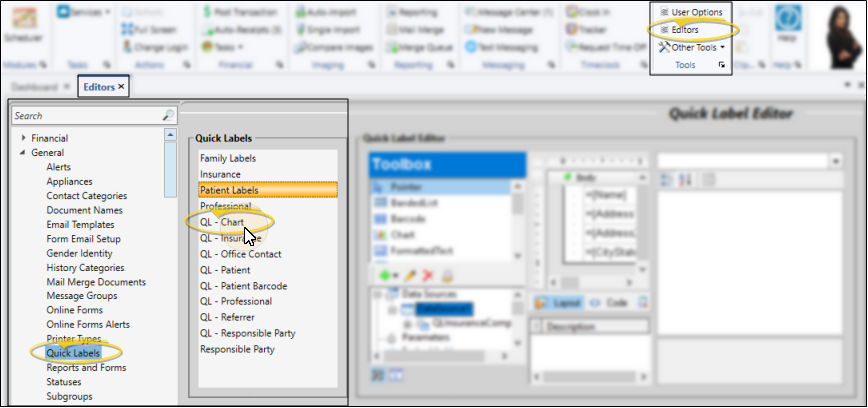
Change Label Contents
Orignally, the QL-Chart label includes the patient's name, primary ID code, birthdate, orthodontist, and date printed. However, you can use the Quick Label editor to change the label contents.
Print Quick Labels from the Reporting Window
Open the Label
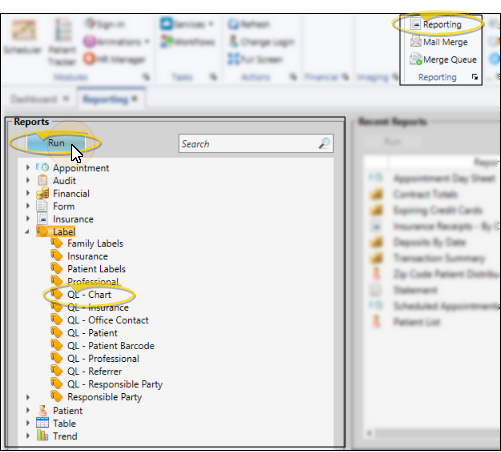
Select Reporting from the Reporting section of the Home ribbon bar. Then from the Label section, open the QL-Chart label. (You can also use the Search field to find the label you want to work with.) You might also be able to run this label from your Recent Reports or Quick Reports list. See "Run Edge Cloud Reports" for details.
Choose Patients
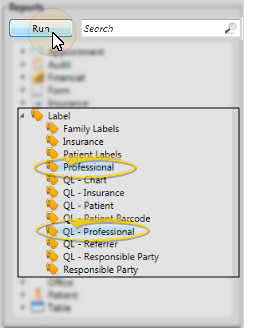
When you print QL- Chart labels from the Reporting window, you may choose a specific patient to print for, or select a subgroup. If you do not select either a patient or a subgroup, no labels will be printed. These labels print on single-column label paper.
View Results
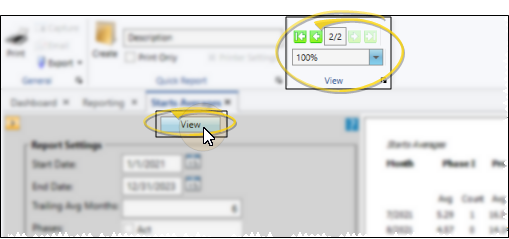
If needed, click View at the top of the report settings panel to view the results on your screen. When you run a report or form from your Recent Report list, or when you run a Quick Report, the initial results are sent to your screen immediately, with one exception: A Quick Report that has the Print Only option enabled will not show your results on the screen at all, but continue with the printing options. See "Report Output Options" for details.
Manage Options and Output
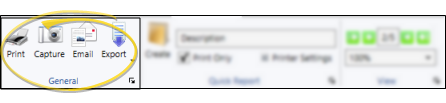
With the results on your screen, you can choose the output with the toolbar at the top of the report window. See "Report Output Options" for details.
Print a Quick Label from the Patient Folder
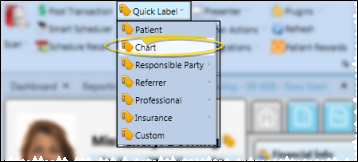
Open the patient folder, then click the Quick Label icon that appears beside the name in the Patient Information Panel or on the Patient ribbon bar and select to print a Chart label for that person. The contents of this label is the same as the "QL" label available from the Reporting window. These labels print on single-column label paper.